Instant Browser Login
Open ragingbullbet.com in any desktop or mobile browser, click Log In, enter your registered email and password, and you are in. The process takes under 30 seconds from any device with an internet connection.
Login at RagingBull in Australia: Reset Your Password
Access your account through your browser or via Inclave biometric login on any iOS or Android device - your full game library and promotions are one tap away.
Keeping Your Account Secure
What You Should Do
What You Should Avoid
Three Ways to Access Your Account
Instant Browser Login
Open ragingbullbet.com in any desktop or mobile browser, click Log In, enter your registered email and password, and you are in. The process takes under 30 seconds from any device with an internet connection.
Inclave Biometric Login
RagingBull Casino supports the Inclave login system, which allows you to sign in using Face ID or Touch ID on supported iOS and Android devices. Set up Inclave once from your account settings and enjoy one-tap biometric access from that point on.
Mobile Browser Access
The full RagingBull Casino platform - including all 200+ RTG games, your bonus balance, and the cashier - is accessible directly through Safari on iOS or Chrome on Android. No app store download is needed for iOS users.
RagingBull Casino offers three distinct login routes: standard email-and-password access through any desktop or mobile browser, the Inclave biometric system using Face ID or Touch ID, and direct mobile browser play without any app store installation. All routes connect to the same account, the same balance, and the same full library of 200+ RTG-powered games.
Whichever device you are on, the login process is designed to take under a minute. The email address you registered with is your permanent identifier, so keep it accessible and make sure it remains active.
Navigate to ragingbullbet.com in your preferred browser, then click the Log In button in the top-right corner of the page. Enter your registered email address and password, then click confirm. If you have set up two-factor security through Inclave on this device, you may be prompted for a biometric confirmation before gaining access to the lobby.

The mobile site at ragingbullbet.com mirrors the full desktop experience, including the cashier, all promotions, and the entire RTG game library. On iOS, open Safari and navigate to the site. On Android, open Chrome or your preferred browser. Tap Log In, enter your credentials, and proceed. iOS users who have set up Inclave will be prompted for a Face ID or Touch ID scan rather than their password.
Inclave is a cross-casino biometric security platform that RagingBull Casino introduced in 2026. To set it up, log in to your account using your email and password, go to Account Settings, and select Inclave. Follow the prompts to register your device and link your biometric method. Once configured, all future logins on that device will use Face ID or Touch ID with no password required.
Most login issues are caused by one of four things: an incorrect email address, a forgotten or mistyped password, a temporarily locked account after failed attempts, or browser-side caching issues. Work through the steps below before contacting support.
If your credentials are not being accepted, first confirm you are using the exact email address you registered with, including the correct domain. Passwords are case-sensitive - check that Caps Lock is not active. If you are still locked out, use the Forgotten Password link on the login page to receive a reset email.
If your account has been locked due to repeated failed login attempts, the system will release the lock automatically after 15 minutes. Alternatively, our 24/7 live chat team can lift the lock immediately once your identity is confirmed.
Browser cache and saved password conflicts are a common cause of login failures on desktop. Clear your browser cache, delete any saved credentials for ragingbullbet.com, and try logging in fresh. On mobile, clearing app data or switching to a different browser can resolve the same issue.
Your RagingBull Casino account is protected by SSL encryption during every login session, and the optional Inclave biometric layer adds a second form of verification that cannot be replicated by someone who does not have physical access to your enrolled device. We recommend enabling Inclave on your primary device as the single most effective step you can take to protect your account.
RagingBull Casino staff will never contact you to ask for your password. Any communication requesting your credentials should be treated as a phishing attempt - report it immediately to [email protected].
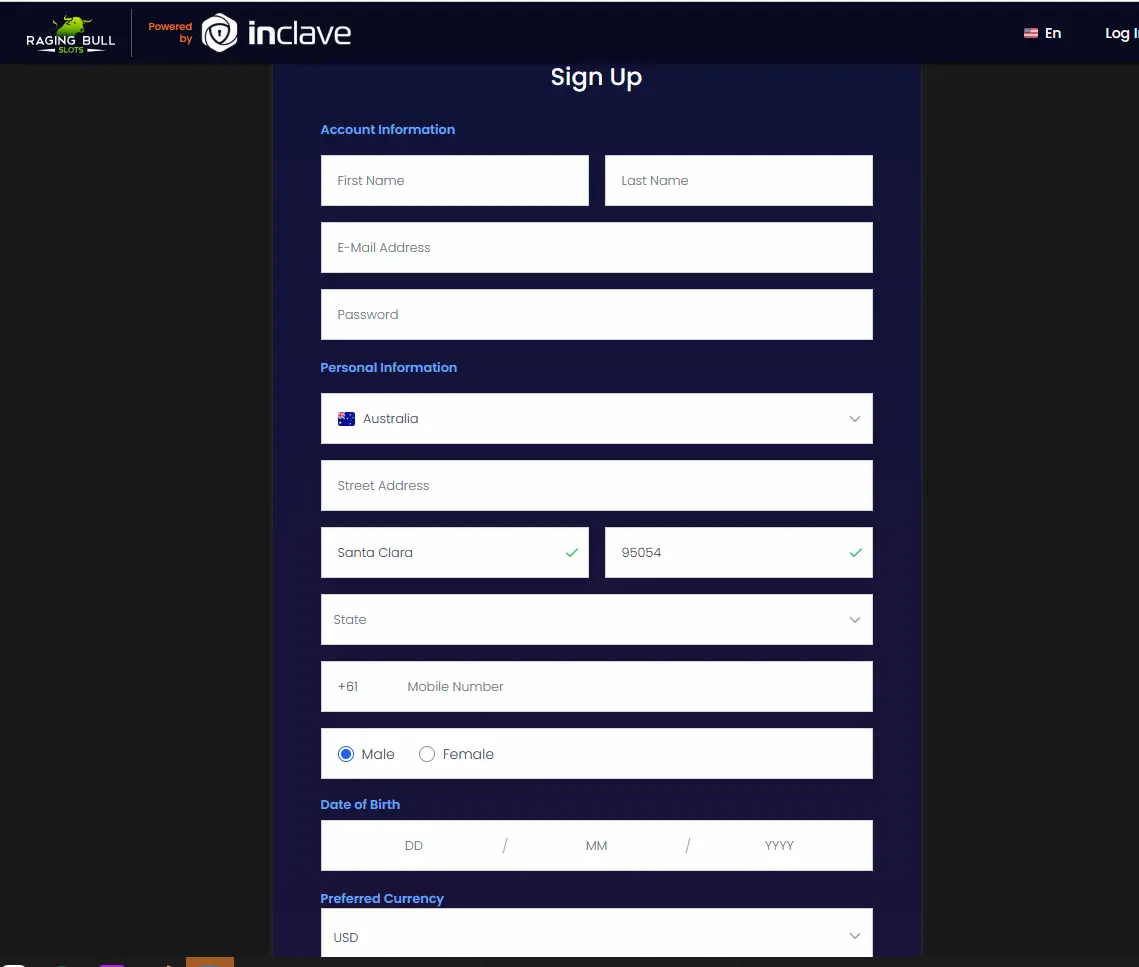
Registration takes under five minutes. You will need your name, date of birth, email address, and a preferred password. After confirming your account, head to the cashier, deposit a minimum of $30, and enter your welcome bonus code before confirming the deposit. The MAXWINS code activates our 410% match bonus up to $10,000 with a 10x wagering requirement - one of the lowest available online. 18+ only. T&Cs apply.
Login Questions Answered
Click the Forgotten Password link on the login page and enter your registered email address. You will receive a reset link within a few minutes. If the email does not arrive, check your spam folder or contact [email protected] for assistance.
Your account may be temporarily locked after multiple failed login attempts as a security precaution. Wait 15 minutes and try again, or contact our 24/7 live chat team directly from the ragingbullbet.com homepage to have the lock lifted.
Yes. RagingBull Casino supports Inclave biometric login, which uses Face ID or Touch ID on compatible iOS and Android devices. Register your device through Inclave once, and subsequent logins require only a biometric scan rather than your email and password.
Not Yet Registered? Create Your Account in Minutes
Grab 410% up to $10,000 and 50 free spins.
Enter the Casino Play responsibly - you must be 18+ to gamble. Bonus offers are subject to their full terms and conditions.